How I built my in-house translation engine
How loctron came to be, FitMesh's in-house translation engine: translation memory, glossary, brand and placeholder protection, and a DeepL + Ollama waterfall for a Next.js site and a Flutter app. Subscription cost: zero. The real value is not the engine, it is owning the workflow.
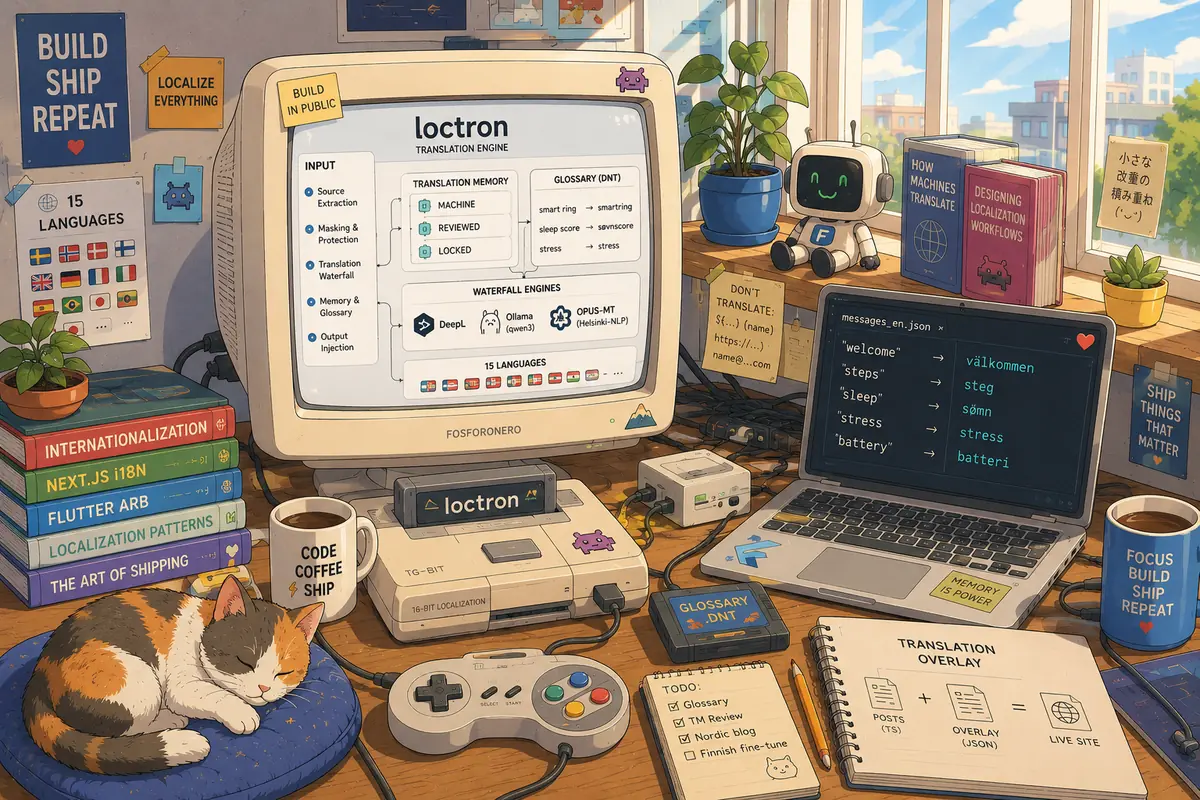
A year ago I wrote about how I translated 1,200 pages into 11 languages with Ollama for €0. It was a Python pipeline that fed raw JSON into a local model and produced static pages for FitMesh Sync. It worked, but at the end of that article I left a list of three things I would do differently. The first line of that list read: "a translation cache, with a hash of the source string as the key, so I only re-translate what changed".
This article is what happened when I actually built it. It is called loctron, my internal translation engine, a home-grown translation engine, and it translates both the Next.js site and the Flutter app with a single shared memory. It is not a product. I do not sell it. It is the tool I use to bring FitMesh to 15 languages without paying anyone a subscription. This is a build in public article: there is real code, there are the bugs that bit me, and there is the reason why, at a certain point, replicating Weglot in-house was the right call.
The problem: site and app, in fifteen languages, with no recurring budget
FitMesh lives in 15 markets. The first year in production taught me one sharp lesson: for an indie app, the cost that kills you is not the one-off cost, it is the recurring one. A pay-per-character translation engine is exactly a recurring cost dressed up as convenience. Every time you update a landing page, every time you publish an article, every time you add a language, you pay again.
Chapter one solved half the problem: the site. A local, free pipeline that generated indexable pages. But the other half was left out, the app. FitMesh is written in Flutter, and its strings live in ARB files, not JSON. The chapter one pipeline could not read them. And above all it re-translated everything from scratch on every run, because it had no memory.
Then came the Nordic expansion. I wanted to add Swedish, Danish, Norwegian Bokmål and Finnish, four languages with grammatical cases, word composition and a technical vocabulary all their own. Going from 11 to 15 languages across two different products, with decent quality and without opening the wallet every month, was not a job for a throwaway script. It needed a system.
Why I didn't buy a SaaS
The obvious path was Weglot or an equivalent like ConveyThis. They are serious products, they do their job, and for the right site they are an excellent choice. For me they were the wrong choice, for four concrete reasons.
- The price is per word per language. My site has around 700 programmatic pages. Multiply that by 15 languages, and then by every regeneration, and a translation SaaS plan blows up fast. It is the same constraint from chapter one: if regenerating costs, you stop regenerating, and the content goes stale.
- The site already has real i18n. Localization is already in-house: per-language dictionaries,
hreflang, localized slugs, a multilingual sitemap. Translation proxies like Weglot exist for sites that do not have this infrastructure: they intercept the HTML and rewrite it on the fly. I would have paid for a layer that duplicated what I already owned. - They only cover the web. None of these products touch a Flutter app and its ARB files. I needed one system for site and app, with the same terminology in both. Two separate tools mean two glossaries that drift apart.
- The quality is not the SaaS, it is the engine underneath. Under the hood, these services call DeepL or Google Translate. The SaaS adds the convenience of the editor and the integration, not the translation quality. And that engine, DeepL, I can call directly myself.
Lined up, these four reasons lead to a single conclusion: I should not buy a product, I should replicate its value. And the value of a tool like Weglot is not the neural network that translates. It is the translation memory, the glossary, the review flow and the ability to orchestrate multiple engines. Those are four things you write in your own code, they stay yours, and they have no subscription.
What loctron is in one line
loctron is a modular translation engine: extract → translate with a cascade of engines → memory and glossary → review → reinject. The core is generic and knows nothing about Next.js or Flutter, the stack the site and app run on. Above it are adapters that can read and rewrite the various formats (the site's JSON dictionaries, the app's ARB files, the TypeScript objects of the articles). Below it are pluggable engines (DeepL, Ollama with a local model). In the middle, the part that really matters: a translation memory and a glossary shared across all projects.
source (JSON dictionaries · ARB files · TypeScript posts)
    │
    │  adapter.extract()
    ▼
translatable segments
    │
    │  mask DNT and placeholders → engine cascade → restore the placeholders
    │  (reads and writes the shared Translation Memory + Glossary)
    ▼
adapter.build() / inject
    │
    ▼
translated file, one version per language
Technically it is deliberately lean. It is TypeScript run on Node 22 with --experimental-strip-types, no build step, and zero npm dependencies: both DeepL and Ollama are reached with native fetch. It runs inside Docker, because on the dev machine I do not install language runtimes:
docker run --rm --network host -e DEEPL_API_KEY -v "$PWD":/app -w /app node:22 \
  node --experimental-strip-types tools/loctron/cli.ts run app
The --network host flag is there to reach Ollama on localhost:11434. If the DEEPL_API_KEY is missing, the cascade uses only the local model. There is nothing to install, no account, no external dashboard.
The architecture: the four pieces
The piece that matters: the Translation Memory
The translation memory is a JSON store indexed by the hash of the source text. A string translated once is never translated again. This is the piece that makes everything else sustainable, and it is literally the thing I wrote in chapter one that I wanted to build.
The key is a SHA-1 hash of the source, truncated to 16 characters:
private key(source: string): string {
  return createHash("sha1").update(source).digest("hex").slice(0, 16);
}
Every entry in memory has a text, the engine that produced it, a timestamp and, above all, a state. There are three states, and they are the backbone of the review flow:
| State | Meaning | Assigned by |
|---|---|---|
| machine | Machine translation, to review | The engine cascade |
| reviewed | Reviewed and corrected | A human or a frontier model |
| locked | Locked, not touched again | A human |
The point about corrections is that they are "sticky". When you promote an entry from machine to reviewed, that rendering stays and is reused everywhere the same source string appears, across all projects. Fix "Apple Health:aan" once, and you never review it again. The memory is also why the process is restartable: if a run stops halfway, whatever was already translated is already in memory, and resuming costs nothing.
This is the central thesis of the article, and it is worth being explicit: the value is not the engine, it is the memory. The engine that translates, DeepL or a local model or whatever ships next year, is interchangeable. The memory of strings already translated and already reviewed, on the other hand, grows over time, is versioned in my repo, and is ours. It is the asset a SaaS makes you build inside its house, and that you do not take with you when you switch providers.
Glossary and do-not-translate (DNT)
The glossary solves two different problems with two complementary mechanisms.
The first is consistent terminology. "smart ring" must always become "smartring" in Norwegian and "älysormus" in Finnish, not a different variant every time the model feels creative. The glossary is a table of source term → rendering per language, and when it is the local model's turn, I inject it into the prompt as an explicit constraint.
The second is do-not-translate. Some things should not be translated at all: brand names (FitMesh, Apple Health, Galaxy Watch, Health Connect, Wear OS), technical acronyms (SpO₂, HRV, VO₂ max, GDPR), URLs, emails and placeholders. If the model translates "Health Connect", the text is immediately wrong for whoever reads it. The same health-tech terminology I dealt with while integrating Health Services on Wear OS is what has to be protected word by word here.
Placeholder protection: masking with an integrity check
I implement do-not-translate with masking. Before sending a string to an engine, I replace everything that must not be translated with neutral placeholders of the form ⟦0⟧, ⟦1⟧, and so on. The engine translates the text around the placeholders, and at the end I restore them.
mask(text: string): { masked: string; tokens: string[] } {
  const tokens: string[] = [];
  let masked = text;
  const protect = (re: RegExp) => {
    masked = masked.replace(re, (m) => {
      const i = tokens.length;
      tokens.push(m);
      return `⟦${i}⟧`;
    });
  };
  protect(/\$\{[^}]+\}/g);            // ${...} interpolations
  protect(/\{\{[^}]+\}\}/g);          // {{...}}
  protect(/\{[A-Za-z_]\w*\}/g);       // {name} simple ICU placeholder
  protect(/https?:\/\/\S+/g);         // URL
  protect(/[\w.+-]+@[\w.-]+\.\w+/g);  // email
  // DNT terms, longest to shortest to avoid partial matches
  for (const term of [...this.data.doNotTranslate].sort((a, b) => b.length - a.length)) {
    protect(new RegExp(escapeRe(term), "g"));
  }
  return { masked, tokens };
}
Simple ICU placeholders like {count} get masked; the complex ones with plurals or selects I leave to manual handling, because their structure is too fragile to hand to a machine.
The detail that makes this mechanism reliable is not the masking itself, it is the integrity check after translation. If the engine drops a placeholder along the way, I do not reconstruct a mangled brand: I discard that translation and move to the next engine.
placeholdersIntact(masked: string, tokens: string[]): boolean {
  for (let i = 0; i < tokens.length; i++) if (!masked.includes(`⟦${i}⟧`)) return false;
  return true;
}
It is one line of logic that removes an entire class of silent errors. A brand or a {count} never break without me noticing, because a translation that has lost them does not even enter memory.
The adapters: one core, many formats
The core talks about "segments", strings with a stable id. The adapters translate between the real formats and this abstract shape. Each exposes three methods: extract(), build(lang, translations), outPath(lang).
- json-dict: walks the site's nested JSON dictionaries and produces one segment per leaf, with dotted paths as ids (
hero.title). For translating a Next.js site this is all you need. - arb: reads Flutter ARB files. It skips metadata keys (
@key,@@locale), sends complex ICU to manual review, and on write does one important thing: it omits untranslated keys. When a key is missing from an ARB, Flutter falls back automatically to the template. So a partial translation of the app is safe by construction: the missing strings show the original instead of breaking.
build(lang: Lang, byId: Map<string, string>): string {
  const out: Arb = { "@@locale": lang };
  for (const key of this.order) {
    const t = byId.get(key);
    if (t != null) out[key] = t;   // untranslated keys: OMITTED -> Flutter falls back
  }
  return JSON.stringify(out, null, 2) + "\n";
}
Adding a new format (Markdown, YAML, native iOS strings) means writing a single adapter file. The core, the memory, the glossary and the engines stay identical. Glossary and memory are shared across projects, and that is what keeps the app and site terminology aligned with no effort.
The blog trick: overlay instead of rewriting
The most interesting case is not an adapter, it is an overlay. The 51 blog posts are TypeScript objects with localized fields (it, en, and the other languages). Rewriting 51 files by hand to add four Nordic languages is fragile and noisy in git. The solution is to keep the Nordic translations out of the source files, in a single nordic-overlay.json, and inject them into memory when the posts are loaded.
The heart of the trick is a walker that walks a post's translatable fields, producing stable paths like hero.title, body.3.text, faq.0.a. The same walker is used both to extract the strings to translate and to apply the overlay on load. Because the same code generates the paths in both directions, the paths match by construction: there is no way for extraction and application to fall out of sync.
export function walkPost(post: BlogPost): Entry[] {
  const out: Entry[] = [];
  loc("hero.title", post.hero.title);
  loc("metaDescription", post.metaDescription);
  post.body.forEach((s, i) => walkSection(s, `body.${i}`, out));
  (post.faq ?? []).forEach((f, i) => {
    loc(`faq.${i}.q`, f.q);
    loc(`faq.${i}.a`, f.a);
  });
  return out;
}
51 TypeScript posts (it / en fields)
    │
    │  walkPost() → stable paths: hero.title, body.3.text, faq.0.a
    ▼
extract the strings  ──►  loctron pipeline  ──►  nordic-overlay.json
    │                                             │
    │  the same posts (in memory)                 │  applyNordicOverlay(): merge on load
    └──────────────────────────┬──────────────────┘
                               ▼
                  isPostTranslated(post, lang)?
                  ├─ yes ──►  drop the noindex → the article enters the SERP
                  └─ no  ──►  stays noindex
The bonus is control over indexing. A flag isPostTranslated(post, lang) checks that every single field of the post is translated in that language, reading the values already injected by the overlay. It is this flag that decides, for each (article, language) pair, when to drop the noindex. An article enters Google's index in Swedish only when it is genuinely complete in Swedish. No half-translated pages ending up in SERP.
The engines: DeepL for prose, Ollama for independence
There are two engines, and they play different roles.
DeepL is the workhorse. Near-professional quality, fast, holds placeholders well, and surprisingly strong even on Finnish, the trickiest language in the set. I call it over HTTP, no SDK: the adapter is one file. It works out on its own whether the key is Free or Pro from the :fx suffix, and above all it exposes a usage endpoint that tells me how many characters I have consumed in the month.
async usage(): Promise<{ count: number; limit: number } | null> {
  if (!this.key) return null;
  const r = await fetch(`${this.host}/v2/usage`, { headers: this.authHeaders() });
  const d = (await r.json()) as { character_count: number; character_limit: number };
  return { count: d.character_count, limit: d.character_limit };
}
This detail is central: I never hardcode the free plan limit, I read it from the API. DeepL's free plan gives 500,000 characters per month, but what matters for the code is the real value the endpoint reports, month by month.
Ollama with qwen3:14b is the other engine. It runs locally, it is free and unlimited, and it serves two purposes: covering when the month's DeepL budget is gone, and guaranteeing total independence. If DeepL changed its prices tomorrow or shut down the free API, loctron would keep translating without touching a line of configuration, just a bit slower. The prompt I give it is strict about placeholders and explicit about the em-dash:
const prompt =
  `You are a professional native ${langName} translator for a privacy-first wearable health app. ` +
  `Translate each numbered line from ${srcName} into natural, fluent ${langName}. ` +
  `Keep tokens like ⟦0⟧ EXACTLY unchanged. No em-dash. No commentary. ` +
  (ctx.glossaryHint ? `Use these terms: ${ctx.glossaryHint}. ` : "") +
  `Return ONLY lines "N=translation" with the same numbers.\n\n${numbered}\n/no_think`;
The comparison between the two engines explains why I need both:
| Aspect | DeepL | Ollama (qwen3:14b) | |---|---|---| | Cost | Free up to 500k characters/month, then paid | Free and unlimited | | Dependency | External API, needs network and key | 100% local, no call leaves the machine | | Long prose (articles) | Very good | Weaker, especially in Finnish | | Short strings (UI) | Excellent | Good, more than enough | | Speed | High | Low on long prose | | Placeholders | Holds them well | Holds them, with the integrity check as a net | | Role in the cascade | Quality engine, first | Fallback and independence, second |
The pipeline: the waterfall in detail
The heart of loctron is the waterfall, or cascade, the center of the translation pipeline. For each segment, in each language, it tries in order: first the memory, then DeepL while there is budget, then the local model, and finally the review queue if none of them managed.
source segment
    │
    ├─ already in Translation Memory?  ──yes──►  reuse (free, instant)
    │                                   no
    ▼
mask DNT and placeholders
    │
    ├─ DeepL budget left?  ──yes──►  DeepL
    │                       no  ──►  Ollama (local model)
    ▼
placeholders ⟦n⟧ intact?
    ├─ yes ──►  restore + write to memory as "machine"
    └─ no  ──►  try the next engine
                  └─ if none succeed ──►  review queue (text = null)
The budget logic inside the loop is where I left a bug the first time. The cost of a segment is counted on the characters of the masked source string, and it is subtracted from what is left before sending. But if DeepL fails, that budget has to be refunded, not treated as spent:
try {
  outBatch = await engine.translate(masked, lang, { sourceLang: deps.sourceLang, glossaryHint });
} catch {
  if (engine.name === "deepl") for (const i of take) deeplBudget += masks[i].masked.length; // refund
  continue;
}
Without that refund, the budget "runs out" while you have actually spent nothing, and the languages in the queue stay at zero. It is a subtle bug, and on the first run it left me with two languages completely untranslated despite having credit. I tell it because it is exactly the kind of detail a SaaS hides from you, and that, when you own the code, you have to understand yourself.
The full flow, at the run level, is one language at a time with incremental saving:
extract the segments (adapter)
    │
    ▼
┌─►  for each language:
│       │
│       ▼
│   recompute the real DeepL budget (API /v2/usage)
│       │
│       ▼
│   cascade over the segments
│       │
│       ▼
│   save the Translation Memory   (immediately: the run is restartable)
│       │
│       ▼
└── write the translated file  →  next language
Recomputing the real budget for each language, and saving the memory right after, is what makes a run interruptible at zero cost. If you kill Docker halfway through Danish, the Danish done so far is already in memory and on disk.
Real results
No vanity metrics. This is the state at the time of writing, read straight from the translation memory in the repo.
The Flutter app. The entire interface (about 1,300 ARB strings, which after skipping complex ICU and deduplicating identical strings become 1,180 unique segments in memory) is translated into Swedish, Danish, Finnish and Norwegian Bokmål, with placeholders intact. Of the roughly 4,720 Nordic segments saved, DeepL produced 4,718 and the local model 2. The cascade did exactly its job: DeepL where the budget was enough, the local model to close the gap.
The blog. The blog memory holds 3,502 source strings. The state reflects the wave strategy: Swedish complete (3,502 segments), Danish at 82% (2,884), Norwegian and Finnish barely started (45 and 44). It is not by chance, it is a choice I explain below.
The site. From 11 to 15 languages, with the four Nordic ones added via loctron. One glossary and one memory for app and site.
The honest comparison of the options I had:
| | Weglot / ConveyThis | loctron | |---|---|---| | Cost model | Subscription, per word per language | Zero subscription, just the laptop's electricity | | Site + app | Web only | Next.js site and Flutter app | | Requires your own i18n | No, they build it | Yes, it leverages it | | Memory ownership | Inside their service | In my repo, versioned | | MT engine | DeepL/Google, not steerable | DeepL + Ollama, steerable | | Lock-in | High | None | | Visual editor and collaboration | Yes | No (for now it is a CLI) | | Maintenance | Zero, they do it | Ours |
The last row is the honest part: a SaaS is not yours to maintain. loctron is. It is worth it only if owning the workflow matters more than maintaining nothing.
Gotchas from the field
Some things I only understood by shipping real translations to production. They are the kind of detail you will not find in any product's documentation.
- DeepL's free plan rate-limits on bulk. Hundreds of requests in a row trigger 429 errors, and the batches fail silently. The cure is trivial but you have to add it: a pause between requests and a retry with backoff on the 429. Without it, a large slice of the translations comes back empty and you cannot tell why.
- The budget is counted on source characters, per language. Translating a text into four languages costs four times its characters. Obvious to say, easy to get wrong in the counting (see the refund bug above).
- The monthly cap forces waves. The full blog is about 2.2 million source characters across four languages, several months of free quota. So it gets translated in waves. The memory makes every wave free on what is already done, so the waves never pay for themselves twice.
- Better one complete language than four half-done. Because
noindexis dropped per (article, language) pair, it is better to finish Swedish across all articles before moving to Danish. Every complete pair enters the index on its own; four languages all half-done make no article show up. That is exactly why in the blog memory Swedish is at 100% while Finnish and Norwegian have barely started. - DeepL sometimes "declines" brands. In languages with grammatical cases it can attach an ending to a protected name, like "Apple Health:aan" in Finnish, right after the placeholder. The integrity check sees the placeholder intact and lets it through, because the ending is outside the token. Those are the few points a human or frontier-model review fixes, promoting the entry to
reviewedin memory once and for all.
Design choices I'd make again
- No source rewriting where possible. The blog overlay and the runtime merge kept 51 files clean in git.
- Masking with an integrity check. Brands and placeholders never break silently, and that removes the most insidious category of bug in machine translation.
- Incremental and restartable. Save per language, recompute the budget from real usage. A run is always interruptible.
- Pluggable engines and shared memory. The cost of adding an engine or a project is a single file. Adding the OPUS-MT models from Helsinki-NLP, free and offline, would be one adapter.
- Zero dependencies. No SDKs, just
fetch. Less surface to update, fewer things that break on their own.
What's next
loctron is alive, and the to-do list is concrete.
- Engine ranking (engine-rank). When a better engine shows up, automatically re-translate only the entries produced by a worse one, leaving human reviews untouched.
- A strong glossary via DeepL's glossary feature where it is supported, instead of masking alone.
- New adapters: Markdown/MDX, YAML, native iOS/Android strings.
- A local OPUS-MT engine as a free, offline alternative, strong on the Nordic languages.
- A small review UI: queue, diff, approve and lock, to move more entries from
machinetoreviewed. - Memory as a shared database (SQLite or cloud) instead of JSON, to work from more than one machine.
- CI integration: translate new content on every commit and open a PR.
Is it worth building your own translation engine?
It makes sense when: you already have a structured i18n, you want to own the stack and the translation workflow, you have more than one target (site and app), and the volumes would make a SaaS expensive. A SaaS is the better call when: you are starting from zero with no i18n, you need a visual editor and collaboration from day one, and you do not want to maintain anything.
And selling loctron? Honestly, no, not as it is. The translation-tool market is mature and crowded: to compete you would need hosting, an editor, integrations, support and marketing, which is another company. loctron is an excellent internal tool and a good story to tell, not a product for sale. My product is FitMesh; loctron is the means by which I bring it to 15 languages without paying a subscription. If one day it took on a life of its own, the road would be open-source first, hosted later. But that is another story.
Frequently asked questions
What is a translation memory and why is it the real value?
A translation memory is a store that indexes every source string and its translation, so a sentence translated once is never translated again. It is the real value of a translation system because it is the only asset that grows over time and stays yours: machine-translation engines are interchangeable, the memory of strings already translated and reviewed is not. In loctron it is a JSON file versioned in the repo, indexed by the SHA-1 hash of the source.
Why build a translation engine instead of using Weglot?
Because I already had real i18n, I needed to cover both the Next.js site and the Flutter app with a single system, and I did not want a per-word, per-language subscription that gets repaid on every regeneration. Weglot and its peers are great for sites without internationalization infrastructure; for those who already have it, they duplicate a layer you own and charge you for the convenience of the editor, not for the translation quality.
Weglot alternatives: what are the options if you don't want a SaaS?
The most common open or self-hosted options are: calling the DeepL or Google Translate API directly, using a local model via Ollama, or the OPUS-MT models from Helsinki-NLP to go fully offline. The piece none of these hands you ready-made is the translation memory and the glossary: that you orchestrate yourself, and that is exactly what loctron does.
How do you integrate the DeepL API into a translation pipeline?
DeepL exposes a /v2/translate endpoint to translate and /v2/usage to read the characters consumed in the month. You call it over HTTP with an Authorization: DeepL-Auth-Key header, no SDK needed. The practical advice: read the limit from the usage endpoint instead of hardcoding it, add a pause between requests to avoid 429 errors on bulk, and count the budget on source characters for each target language.
How do you use Ollama for local machine translation?
Ollama runs language models locally and exposes an HTTP API on localhost:11434. To translate, you send a prompt to the /api/generate endpoint asking the model to translate line by line, keeping placeholders intact and adding no commentary. In loctron I use qwen3:14b with a low temperature (0.2) and small batches, because a model does better in its context window when the input is short.
How do you translate a Flutter app with ARB files?
Flutter ARB files are JSON with translation keys plus metadata (@key, @@locale). The important part is to skip the metadata, protect the simple ICU placeholders, leave complex plurals and selects to manual work, and omit untranslated keys from the output file: Flutter falls back to the template automatically, so a partial translation shows the original instead of breaking. That makes it safe to translate the app in waves.
How do you translate a Next.js site while keeping SEO?
The translated text has to be in the HTML at build time, not loaded over JavaScript, otherwise Google does not index it. You need static pages per language, correct hreflang, a per-locale canonical and a multilingual sitemap. loctron produces the translated JSON dictionaries the site consumes at build time; chapter one of this story covers the static-page generation in detail.
What is do-not-translate, and how do you protect a placeholder?
Do-not-translate is the list of things that must not be translated: brands, technical acronyms, URLs, emails, placeholders. You protect them with masking: before translating, each one is replaced with a neutral placeholder like ⟦0⟧, the engine translates the text around it, and at the end it is restored. The step that makes it reliable is the integrity check: if a placeholder is missing after translation, that translation is discarded instead of producing a mangled brand.
How much does it cost to build an in-house translation engine?
The cost in money can be zero: DeepL on the free plan, Ollama free and unlimited locally, memory and glossary in JSON files in the repo. The real cost is time: writing the core, the adapters and the budget handling, and then maintaining it. It makes sense when the volumes would make a SaaS expensive and when owning the workflow is worth more than not having to maintain anything.
DeepL or Ollama: which translation engine is better?
It depends on the text. DeepL is better on long prose and it is fast, but it has a monthly free character limit. Ollama with a local model is free and unlimited, excellent on short UI strings, weaker and slower on prose. The answer is not to pick one: it is a cascade that uses DeepL while there is budget and the local model to close the gap, with the memory making everything already translated free.
What is a translation overlay and what is it for?
It is a technique to add translations to structured content without rewriting the source files. In my blog the 51 articles are TypeScript objects: instead of editing them, I keep the Nordic translations in a separate JSON overlay file and inject them into memory on load, using a walker that generates stable paths for each field. That keeps the source files clean in git and the translations a separate, regenerable artifact.
How do you avoid lock-in with a translation engine?
By owning the three pieces that matter and keeping them separate from the engine: the translation memory, the glossary and the format adapters. The engine that translates becomes an interchangeable detail, an adapter file you can swap. If the provider changes prices or shuts down, you switch engines without losing the memory of strings already translated and reviewed, which is the asset you built over time.
What happens if an engine fails to translate a segment?
The cascade moves to the next engine. If even the last one fails, or a translation loses a placeholder and gets discarded by the integrity check, the segment lands in the review queue with a null text. I never invent a translation: an untranslated string shows the fallback (the original) instead of a hallucinated result, exactly like the omitted ARB keys.
A translation SaaS makes you build memory and glossary inside its house, and you do not take them with you. Building them in-house costs more time, but what remains, the versioned memory in your repo, is the one part that is not replaceable. The engine that translates is.